Reader-supported: As an Amazon Associate I earn from qualifying purchases, and some links go to eBay through its partner program. The picks are mine, affiliates don't pay for placement and don't shape what I recommend.
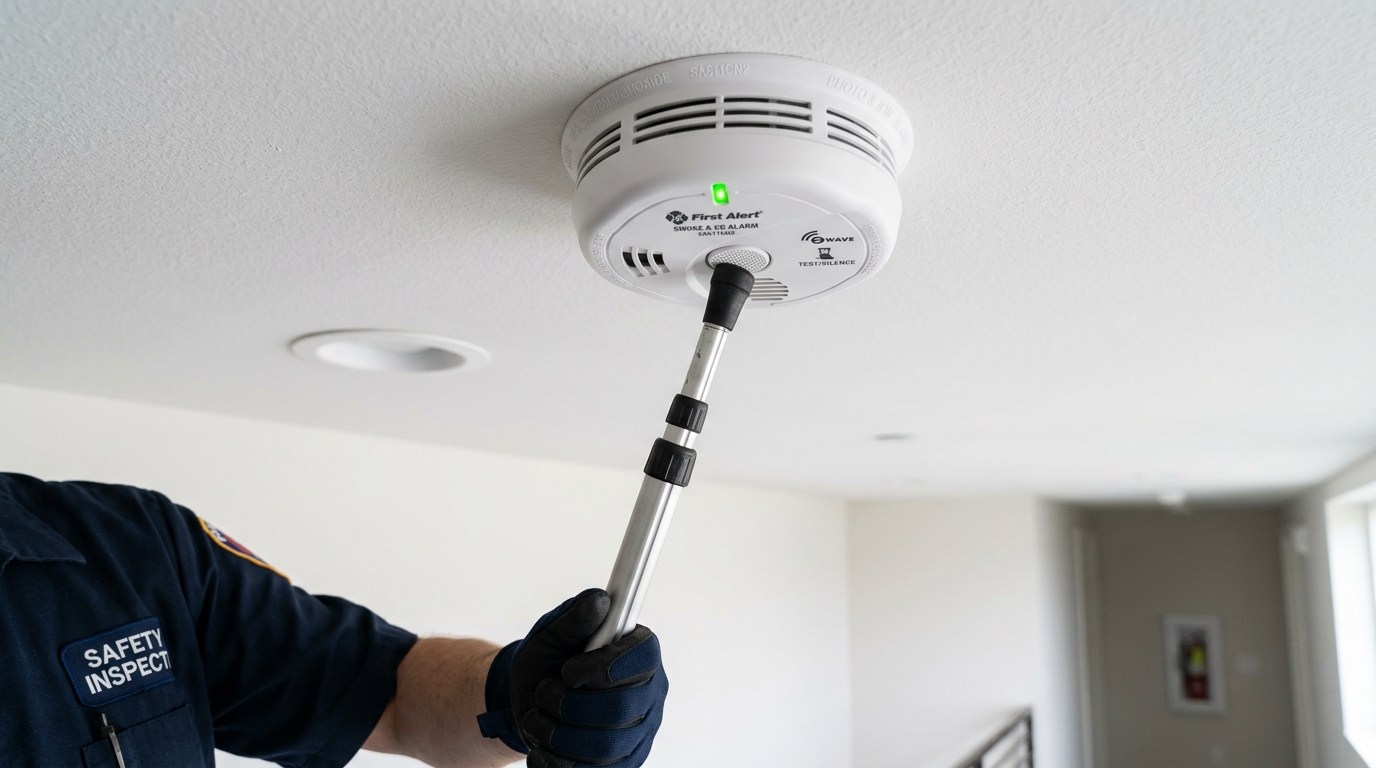
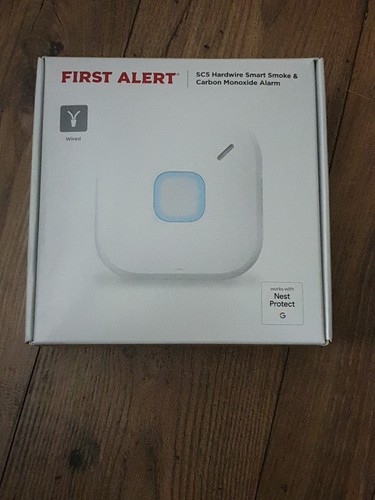
- Google Home Users (Direct Successor): First Alert SC5 (~$130) — Google's officially endorsed successor, integrates into the Google Home app, universal bracket aligns with existing ceiling junction box screw holes.
- Best Non-Smart Value: Kidde Detect 30CUD10 (~$60) — 10-year sealed lithium combo, zero Wi-Fi or app maintenance, less than half the price.
- Alexa & Ring Users: Kidde Smart Smoke + CO (~$75) — Native Alexa voice alerts, Ring Alarm compatible.
- UK & Europe (230V Mains): Aico (Ei Electronics) Ei3024 / Ei3026 — Grade D1 230V mains compliant (US SC5 is 120V only and cannot be wired into UK mains).
What I swapped mine for
I went with the First Alert SC5, one for each Nest Protect I had up.
The swap itself. Twist the Nest Protect a quarter turn counterclockwise to drop it off its mounting bracket. Unscrew the two bracket screws; the SC5 universal mounting plate aligns directly with those same electrical box screw holes (no new drywall holes or anchors needed). On hardwired units, swap the wire harness connector, then twist the SC5 onto its new plate. Plan on 5 to 10 minutes per alarm.
What carried over. Phone alerts, remote silence, self-test history and the Google Home app. If your Nest Protects were already living in Google Home, the SC5 shows up in the same place.
What changed. The unit looks like a successor, not a clone. The ring light and the voice prompts are First Alert, not Nest. The first self-test after pairing takes longer than you expect. Let it finish before you touch the ladder again.
What it cost. About $130 per unit, the same as a Nest Protect at launch. Buy new stock only. The 10-year clock starts at manufacture, not at install, so a marketplace unit from an old pallet has years burned off before you open the box.
If you do not want Google Home, do not want a smart alarm at all, or have an unusual setup, the SC5 is the wrong answer and the three other paths below cover you.
The short version
The First Alert SC5 is the right replacement for most Nest Protect owners. Google officially endorses it, it mounts on the same base plate (so the swap is mechanical, not electrical), it talks to the Google Home app, and it costs the same ~$130 the Nest Protect did at launch. If you've decided you no longer want a smart alarm, the Kidde Detect 30CUD10 (~$60) is the value pick. Everything else in this guide is the long version of those two sentences.
Why Nest Protect was discontinued (and the 3rd Gen myth)
Google announced on February 25, 2025 that it was shutting down the Nest Protect hardware lineup. The Nest x Yale Lock was cut the same day, and Nest Secure had already been shut off in April 2024. Google didn't abandon life safety; it transitioned to a software partnership model with First Alert (the largest US smoke-alarm manufacturer), endorsing the First Alert SC5 as the official successor.
Will there be a Nest Protect 3rd generation? No. Google never manufactured a Gen 3 Nest Protect, and there will not be one. Smoke alarm manufacturing standards shifted radically with the nationwide adoption of UL 217 8th and 9th Edition regulations. The updated standard introduced strict multi-criteria testing for polyurethane foam fires and mandated resistance to nuisance cooking smoke. The Nest Protect Gen 2 was engineered back in 2015 under 7th edition rules. Rather than investing tens of millions to re-engineer specialized life-safety hardware, Google exited manufacturing and left sensor compliance to legacy fire-safety giants.
Existing Nest Protect units still detect smoke and sound their local 85 dB horns until their sensors expire. But firmware updates, account linking, and long-tail app support will progressively thin out.
Nest Protect replacement time frame: Read the label, not the calendar
Before buying replacements, check how much useful life your existing units actually have. Every smoke alarm carries a hard 10-year service life mandated by NFPA 72.
Here are three critical points homeowners get wrong about the replacement time frame:
- The 10-year clock starts at manufacture, not purchase. If an alarm was built in March 2016 and installed in October 2017, its 10-year life expires in March 2026. The optical sensors and internal CO chemical cells degrade from the day they leave the factory.
- New batteries do not reset the sensor clock. The battery-operated Nest Protect takes 6 AA lithium cells, and the wired model uses 3 AA lithium cells as backup. Swapping batteries only powers the logic board; it does not refresh aged smoke and CO sensors.
- Gen 1 Nest Protects are already completely expired. First-generation units were manufactured between late 2013 and 2015. Every Gen 1 unit still in service is operating past its design life and should be replaced immediately.
- Pull a unit off the ceiling. Twist it counterclockwise about a quarter turn to release it from the base plate.
- Find the manufacture date on the back. Look for the printed date code (MMYYYY) stamped near the certification markings.
- Add 10 years. That is the required retirement date per NFPA 72.
- Map your replacement timeline:
| Manufacture date | Replacement window | What to do |
|---|---|---|
| Before 2017 | Already expired or expiring this year | Replace immediately. An expired alarm cannot be counted on in a real fire. |
| 2017-2019 | 1-3 years remaining | Plan replacement this year. Order replacement units as a coordinated set. |
| 2020-2022 | 4-6 years remaining | Use until expiry. Bookmark this page for when your date approaches. |
| 2023-2024 | 7-8 years remaining | Operational. App support will thin, but local detection remains active. |
The 10-year mark is the absolute regulatory limit, but in facility work we see nuisance chirps and sensor drift increase around year 8. If your alarms are at year 8 or 9, treat that as your practical replacement window so you can plan the swap instead of being woken up by a 3 AM low-battery chirp.
Nest Protect replacement cost: Single unit vs whole home
One detail most reviews gloss over is the total household bill. Building code (NFPA 72) requires smoke alarms inside every bedroom, outside each sleeping area, and on every finished level. In a typical single-family home, that means 4 to 6 units. Because smoke alarms installed at the same time expire together, you are almost never buying just one.
Here is what replacing your Nest Protects actually costs across each tier, including electrician labor costs:
| Replacement Option | Power & Setup | Cost Per Unit | Typical Home (5 Units) | Rewiring / Labor |
|---|---|---|---|---|
| First Alert SC5 (Google Successor) | 120V hardwire or sealed battery | ~$130 | ~$650 | $0 (DIY swap in existing boxes) |
| Kidde Smart Smoke + CO (Alexa/Ring) | 120V hardwire or battery | ~$75 | ~$375 | $0 (Standard junction box mount) |
| Kidde Detect 30CUD10 (10-Yr Non-Smart) | 10-year sealed lithium | ~$60 | ~$300 | $0 (Twist-on base plate) |
| First Alert SA511CN2-3ST (Wireless Interconnect) | RF interconnected battery | ~$37 (~$110 / 3-pk) | ~$220 (2 packs) | $0 (Zero wires needed) |
If you have hardwired units, you do not need to pay an electrician $150 to $300 to pull new wire. Every replacement listed above fits standard ceiling junction boxes and uses standard wire-nut pigtails.
Step 2, pick the right replacement path
Four common paths. Pick the one that fits your situation; ignore the others.
Four common paths. Pick the one that fits your situation; ignore the others.
Path A, direct 1:1 replacement with First Alert SC5 (most people)
You liked the Nest Protect. You want phone alerts, away-from-home notifications, and Google Home integration to keep working. You don't want to rewire or change mounting. Pick the SC5.
- What you get: Same smart features (phone alerts, self-test history, remote silence). Same Google Home integration. Same ceiling mount, the SC5 was engineered to fit the existing Nest Protect base plate.
- What changes: The app experience is the Google Home app (which the later Nest Protects already used). The aesthetic is similar but distinct. The hardware feels like a successor, not an identical clone.
- Price: ~$130 per unit. Same as Nest Protect at launch.
- Mechanical swap: Twist off Nest Protect, twist on SC5. Bracket stays. If you had a hardwired Nest Protect, the wiring connector matches.
- First Alert SC5 on Amazon — check current price on Amazon each. Order one per Nest Protect you're replacing.
- First Alert SC5 on eBay, new-condition listings often undercut list price. Buy new stock only, the 10-year clock runs from manufacture.
- First Alert direct, periodic 3-pack and 6-pack bundle deals.
Path B, want Alexa instead of Google (Kidde Smart Smoke + CO)
This path used to recommend the First Alert Onelink Safe & Sound, the smoke alarm with a built-in Alexa speaker. First Alert has discontinued it, along with the rest of the Onelink smart-alarm line, and the Onelink app has not been updated since December 2023. Do not buy the "new" units still floating around eBay and marketplace sellers: sealed-box stock is aged inventory with years already burned off the 10-year sensor clock, tied to an abandoned app. The alarm-plus-ceiling-speaker category died with it. Nobody currently makes one.
Your household runs on Alexa or Ring rather than Google Home, and you want smoke and CO alerts on your phone without joining the Google ecosystem just for an alarm.
- What to get instead: the Kidde Smart Smoke + CO Alarm (~$75): Wi-Fi alerts through the Kidde app plus Alexa and Google support, no hub required. If your house runs on Ring, buy the Ring-paired Kidde version instead, sold at Home Depot for $74.97. The standard model linked below does not pair with Ring.
- What you give up vs the SC5: Google Home integration and the Nest-base mounting trick. This is a standard-mount alarm, so plan on a screwdriver, not a twist-off swap.
- Budget note: at ~$75 against the SC5's ~$130, it saves about $55 per alarm location.
- Kidde Smart Smoke + CO Alarm on Amazon — check current price on Amazon.
- Kidde Smart Smoke + CO on eBay, new listings only, and check the manufacture date on arrival.
Path C, step down to non-smart (the budget reset)
You used the Nest Protect because it was the best alarm available at the time, not because you specifically needed phone alerts. You realized the household never actually used the smart features. You don't want to keep paying for a feature you don't use.
- What you get: Reliable life-safety coverage at less than half the price. Two options:
- Kidde Detect 30CUD10 10-year sealed combo, ~$60 per unit. Battery-only, no Wi-Fi, no interconnect. Photoelectric smoke sensor plus CO in one device.
- First Alert SA511CN2-3ST wireless interconnect 3-pack, ~$110 for three. Battery-only, no Wi-Fi, but the alarms talk to each other so when one detects, all sound.
- What you lose: Phone alerts when you're away. Self-test history. Remote silence. App integration.
- What you don't lose: Detection reliability. Local audible alarm. Compliance with NFPA 72.
- Kidde Detect 30CUD10 on Amazon — check current price on Amazon each. Order one per alarm location.
- Kidde Detect 30CUD10 on eBay, buy new listings only, sensors age on the shelf and old stock costs you useful life.
- First Alert SA511CN2-3ST 3-pack on Amazon — check current price on Amazon for three.
Path D, step up to a different smart platform
I was on Nest Protect because of Google Home, but I've since moved my smart home to a different platform (HomeKit, SmartThings, Home Assistant). I picked an alarm native to my new platform rather than continuing with Google's choice.
- For Apple HomeKit: the honest answer is that no current UL-listed smoke + CO combo ships with native HomeKit support, since the Onelink models that offered it were discontinued. The workable route today is a Z-Wave or Zigbee detector bridged into HomeKit through Home Assistant (next bullet), or accepting that the alarm lives in its own app while the rest of your home stays on HomeKit.
- For Home Assistant / SmartThings power users: Look at Zigbee or Z-Wave smoke detectors (Heiman Z-Wave, First Alert ZCOMBO Z-Wave), local control, no cloud dependency, fully scriptable. Trade-off: setup complexity is higher.
- Stay in Kidde ecosystem: Kidde Smart Smoke + CO Alarm (~$75): Wi-Fi, Kidde app, no smart-home-hub dependency.
Step 3, execute the migration
- Order all replacement units at once. Mixing batches across months means you're managing different end-of-life dates a decade from now. Coordinated install = coordinated retirement.
- Verify manufacture dates on arrival. Check the date code on the back of each new unit. If anything is more than 12 months old, return it, you're losing useful life.
- Replace one at a time, testing each. Don't do the whole house in one session and hope for the best. Twist off the old unit. Twist on the new. Press the test button. Confirm app integration in Google Home (or whichever platform). Move to next.
- Write the install date on the back with a Sharpie. Future-you in 2036 will appreciate not having to do manufacture-date math.
- Recycle the old Nest Protects. Don't throw them in household trash, they contain lithium batteries. Best Buy, Home Depot, and Lowe's all accept smoke detectors for recycling. Or use a Call2Recycle drop-off (battery-specific).
If you replace alarms one at a time over several months, you'll have a mixed Nest Protect + SC5 fleet during the transition. Google Home supports this, both device types appear in the app, and alarms route through the same cloud-based interconnect. You don't lose home-wide alerting during migration as long as everything stays signed in to the same Google account.
Replacing a wired Nest Protect (120V): How the harness swap works
If your home has hardwired Nest Protects, you are working with line voltage (120V AC). A lot of homeowners hesitate here, assuming a brand change means opening walls or calling an electrician. You do not need to pull new wire. Standard residential alarm wiring uses a 3-wire pigtail inside an octagonal ceiling junction box:
- Black wire: 120V AC line hot that powers the unit.
- White wire: Neutral conductor completing the circuit.
- Red, yellow, or orange wire: Legacy interconnect traveler wire used by traditional alarms to communicate across rooms. Nest Protect did not use this wire (it communicated via its own 802.15.4 wireless protocol), so in Nest installations this wire was usually capped off with a wire nut.
The pigtail connector does not transfer between brands. Kidde, First Alert, and Nest each use proprietary plastic snap plugs. When you switch from Nest Protect to the First Alert SC5 or Kidde, you swap the pigtail harness at the wire nuts. It takes about 5 minutes per ceiling box:
- Kill power at the breaker panel. Locate your home's dedicated smoke alarm circuit breaker and flip it off. Test the wires with a reliable non-contact voltage tester before touching anything.
- Unplug and remove the old base. Twist the Nest Protect counterclockwise to release it from the bracket, then squeeze the sides of the power plug to disconnect the harness from the back of the alarm. Unscrew the two mounting screws holding the Nest bracket to the ceiling box.
- Swap the wiring harness. Unscrew the wire nuts connecting the Nest harness to your house wiring. Twist the new First Alert SC5 harness onto the house conductors: black to black, white to white. If you are using wireless app interconnect, leave the interconnect traveler wire capped with a wire nut. Secure with wire nuts and give each wire a gentle tug to verify the mechanical bite.
- Mount the universal bracket. Align the SC5 universal mounting bracket with the screw holes on your existing ceiling electrical box and tighten the two screws. Plug the quick-connect harness into the back of the SC5.
- Twist on and restore power. Twist the SC5 clockwise onto the bracket until it snaps securely in place. Switch the breaker back on. The SC5 will chirp once and show a solid green power LED indicating active 120V line power.
What NOT to do
eBay and Amazon Marketplace still list Nest Protect Gen 2 units for $90-$150. The 10-year service-life clock started when each unit was manufactured, not when you buy it. A used unit could have anywhere from 6 years to 6 months of life remaining. You'd be paying full price for a fraction of the useful life, and the sealed lithium battery isn't replaceable, so there's no way to extend it.
Smoke alarm sensors don't fail gracefully. They drift past detection threshold gradually, then a fire happens and the alarm doesn't sound. Year 9.9 of a 10-year alarm is not reliably equivalent to year 1.0. If you're within a year of expiry, replace now, the marginal savings of running them down is not worth a coverage gap.
If you're rebuilding the alarm fleet anyway, this is a chance to upgrade placement and sensor selection. Photoelectric units in bedrooms (where slow smoldering fires are the dominant night-time risk), dual-sensor or ionization-favored units in kitchens (where flaming fires are the bigger risk). Don't just buy six identical SC5s without thinking about whether ionization vs photoelectric balance is right for each room.
If you have an unusual setup
Multi-unit building (condo, townhouse, duplex)
Your HOA or rental management may require specific alarm models or interconnect with the building's central fire panel. Before buying anything, check the bylaws or with property management. The SC5 likely meets requirements, but verify.
Older home without hardwired alarm infrastructure
You can mix smart battery-only alarms with the existing infrastructure. The SC5 has a battery-only model. Path C (Kidde Detect 30CUD10) also works here. Don't open walls just to install alarms, battery-only is code-compliant.
Does the First Alert SC5 have Pathlight (nightlight)?
No. One of the biggest complaints from migrating Nest Protect owners is that the First Alert SC5 omits the motion-activated Pathlight feature. Nest Protect illuminated hallways when you walked beneath it in the dark. The SC5 only lights up during an active alert or self-test. If hallway path lighting is non-negotiable for your household, pair your new alarm with a dedicated smart plug-in motion nightlight (such as the GE Enbrighten or Philips Hue motion light) rather than searching for a non-existent all-in-one smart smoke alarm.
Will the SC5 fit my existing Nest Protect ceiling bracket?
No, you cannot twist the SC5 directly onto the Nest Protect mounting ring. The twist-lock bayonets are proprietary to Google. However, you do not need to drill new holes in your ceiling. The First Alert SC5 includes a universal mounting plate with slotted channels engineered to align with standard 4-inch octagonal electrical junction boxes as well as the drywall anchor spacing left by the Nest bracket. Swapping brackets takes two minutes with a standard screwdriver.
UK & Europe (230V Mains): What to use instead
Crucial Safety Warning: The US-market First Alert SC5 is a 120V / 60 Hz alarm certified strictly to UL 217. It cannot be wired into UK or European 230V / 50 Hz mains circuits (connecting 230V will instantly destroy the internal transformer and create a severe electrical fire hazard). In the UK, hardwired alarms must meet BS 5839-6 Grade D1 standards.
For UK homeowners migrating from 230V Nest Protects, the trade-standard Grade D1 replacement is the Aico (Ei Electronics) Ei3024 Multi-Sensor Fire Alarm (optical + heat) or Ei3026 Multi-Sensor Smoke & CO Alarm (or Ei3028 Heat & CO Alarm for kitchens). When paired with the Aico Ei1000G SmartLINK Gateway, it delivers reliable smartphone notifications and automated remote testing trusted by UK electrical contractors and housing associations.
Home with deaf or hard-of-hearing residents
Standard smoke alarms (85 dB) don't reliably wake people with significant hearing loss. Look at strobe-and-bed-shaker accessory units that integrate with smoke alarms: Lifetone HLAC151 and Kidde RemoteLync are both UL 217-listed and ADA-compliant. These are essential, not optional, in households with hearing-impaired members.
Related diagnoses
FAQ
Why was Nest Protect discontinued?
Google announced the end of the Nest Protect on February 25, 2025, exiting smoke and CO alarm manufacturing after new UL 217 8th and 9th edition standards required complex multi-criteria testing for polyurethane foam fires and nuisance cooking smoke resistance. Google transitioned to a software partnership model, endorsing the First Alert SC5 as the official smart replacement that feeds directly into the Google Home app.
Will there be a Nest Protect 3rd generation?
No. Google never manufactured a 3rd Generation Nest Protect, and there will not be one. Google officially discontinued the entire Nest Protect hardware line and exited fire-safety equipment manufacturing. Google partnered with First Alert to endorse the First Alert SC5 as the official successor.
What is the best Nest Protect replacement?
The First Alert SC5 Smart Smoke & Carbon Monoxide Alarm is the only replacement officially endorsed by Google. It mounts using standard ceiling junction box screw holes and integrates with the Google Home app for alerts and remote silence. For Alexa and Ring households, the Kidde Smart Smoke + CO Alarm (~$75) is the primary alternate pick. For non-smart 10-year protection, the Kidde Detect 30CUD10 (~$60) is the value pick.
What does a Nest Protect replacement cost?
A single First Alert SC5 costs ~$130. For a typical home requiring 5 alarms, replacing the entire fleet with the SC5 costs ~$650. Moving to Kidde Smart Smoke + CO costs ~$75 per unit (~$375 for 5 units), while stepping down to non-smart 10-year sealed alarms like the Kidde Detect 30CUD10 costs ~$60 per unit (~$300 for 5 units). Because replacements fit existing ceiling electrical boxes, electrician labor is $0 for DIY swaps.
How long will my existing Nest Protect keep working?
Until the 10-year mark from the manufacture date printed on the back of the unit. Nest Protect Gen 2 units manufactured in 2015 and 2016 are at end-of-life now (2026). Replacing backup AA lithium batteries does not reset the 10-year sensor clock; when the internal sensors age out, the unit must be replaced.
How do you replace a wired 120V Nest Protect?
Turn off the dedicated smoke alarm breaker at your electrical panel and verify the circuit is dead with a non-contact voltage tester. Twist the Nest Protect off its bracket, unplug the harness, and unscrew the mounting ring. Wire-nut the new First Alert SC5 harness to the house wires (black to black hot, white to white neutral, traveler capped), screw the universal mounting plate to the ceiling box, plug in the connector, and twist on the new alarm.
Can I still buy Nest Protect somewhere?
On secondary marketplaces like eBay or Amazon Marketplace, yes, but you should not. The 10-year service-life clock starts at manufacture, not purchase. A unit manufactured in 2016 or 2017 has little to no useful sensor life remaining. You would be paying premium prices for an alarm facing imminent expiration. Buy a current-production alternative instead.
Will the First Alert SC5 connect to the Google Home app like Nest Protect did?
Yes. The SC5 was engineered specifically as a Google-blessed Nest Protect replacement and integrates with the Google Home app for alerts, self-test history, and remote silence.
Do I have to replace all my Nest Protects at once?
No, but you should plan to. Alarms in the same home were typically installed together and expire within months of each other. Replacing them as a coordinated batch ensures consistent smart-home integration and avoids unmonitored sensor failures.
What if I don't want a smart smoke alarm anymore?
The Kidde Detect 30CUD10 10-year sealed combo smoke + CO at around $60 per unit, or the First Alert SA511CN2-3ST wireless interconnect 3-pack at ~$110 for whole-home alarm sync without Wi-Fi, are both solid non-smart options. You lose phone alerts and remote silence, but retain full NFPA 72 compliant life-safety protection at less than half the price.